COSMIC SERIES
01 // 06
Cosmic Harmony

Slideshow “Cosmic Series” (Deluxe Black UI) — Copia el efecto en tu web

Un slider fullscreen con GSAP + UI inferior (thumbs, contador y títulos animados)

Construye este efecto premium en tu proyecto (sin framework)

Este recurso no es “un slider más”. Es un slideshow fullscreen con un look Deluxe Black UI, transiciones cinemáticas y una barra inferior interactiva (contador, título con animación vertical, indicador de ondas y thumbnails automáticos).

La idea es simple: copias el HTML, pegas el CSS, cargas GSAP y el JS hace el resto. En minutos puedes usarlo como hero, galería, landing o sección “showcase” en tu web.

1) Qué vas a conseguir exactamente

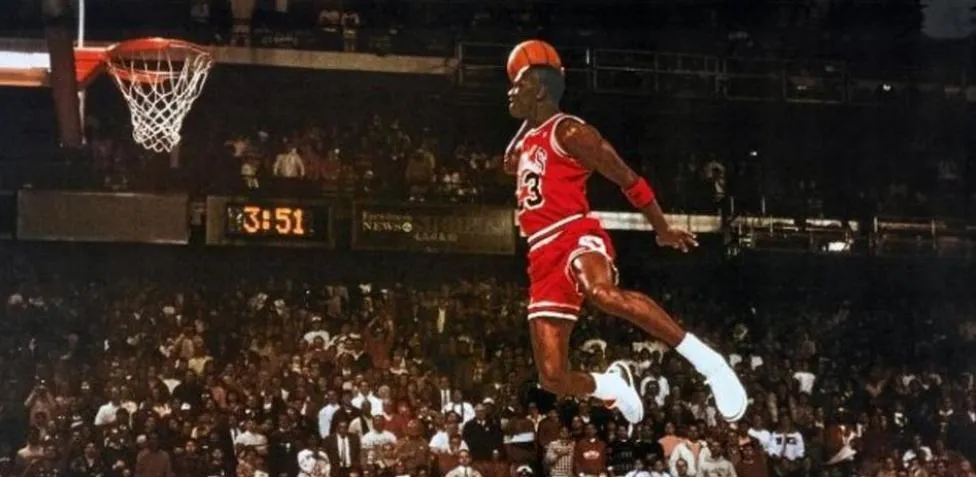
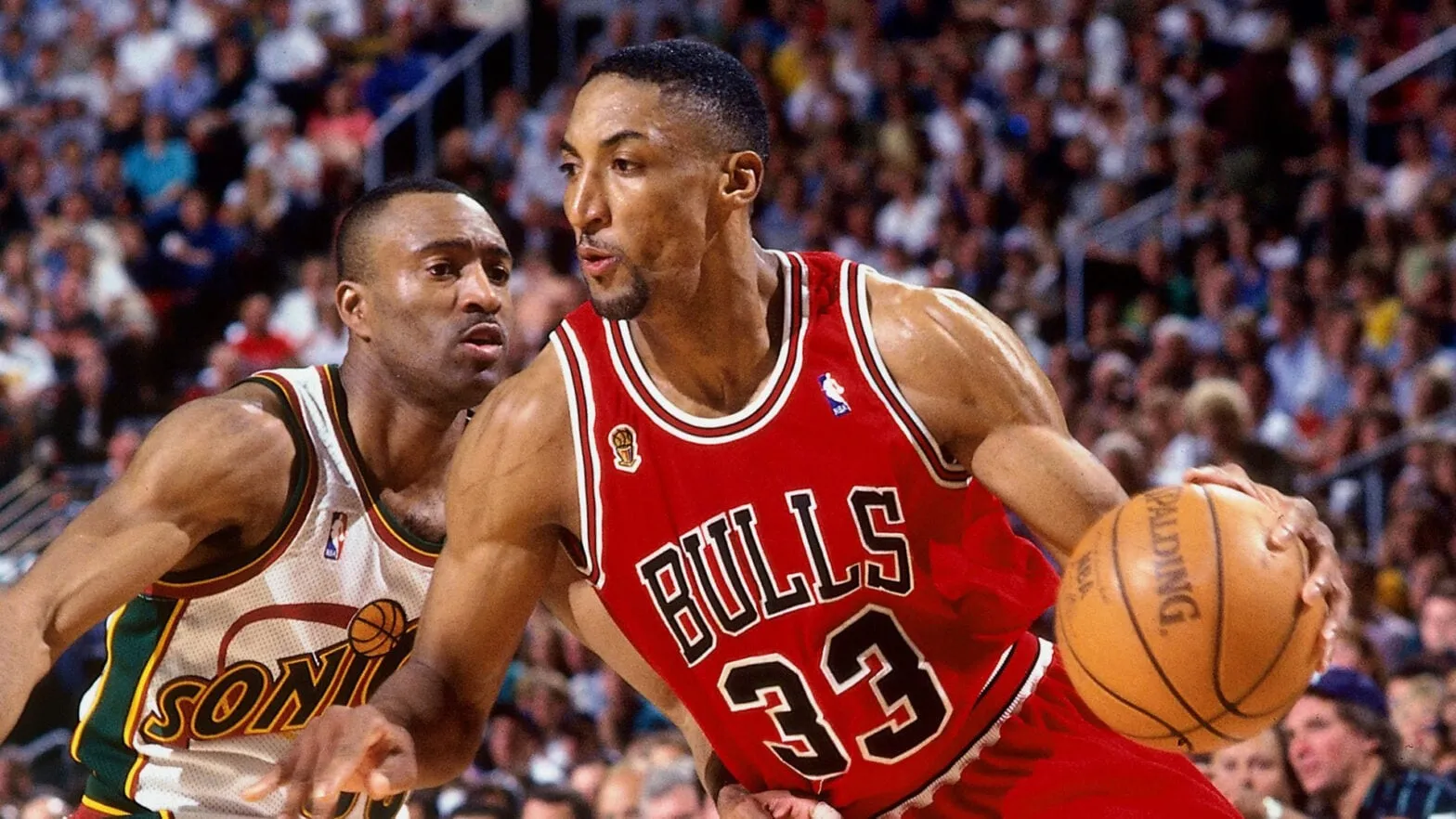
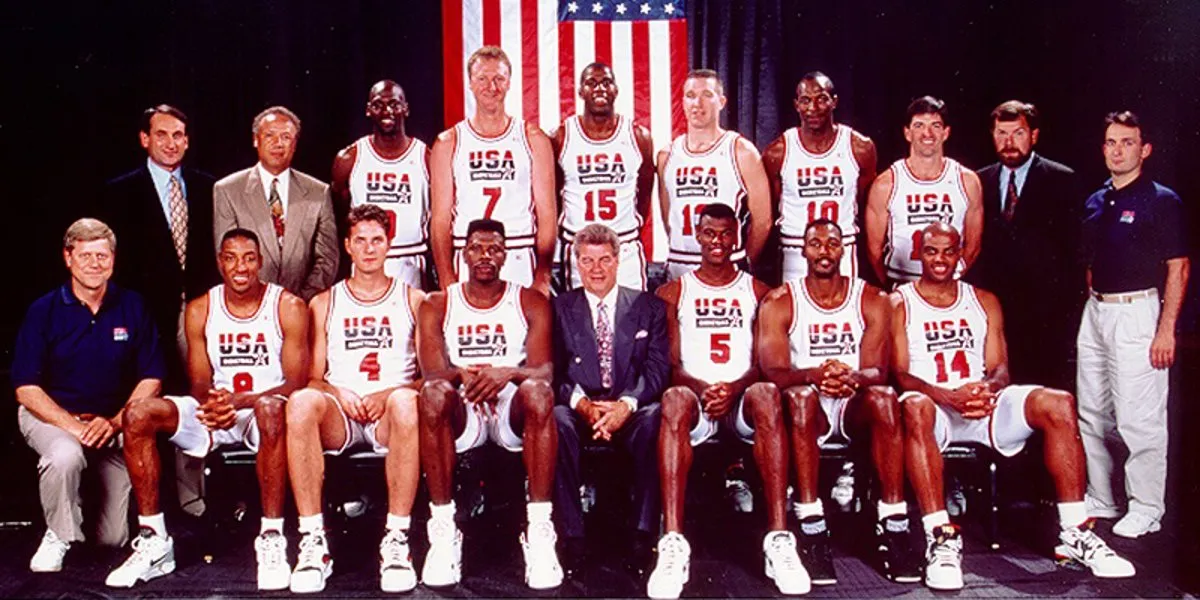
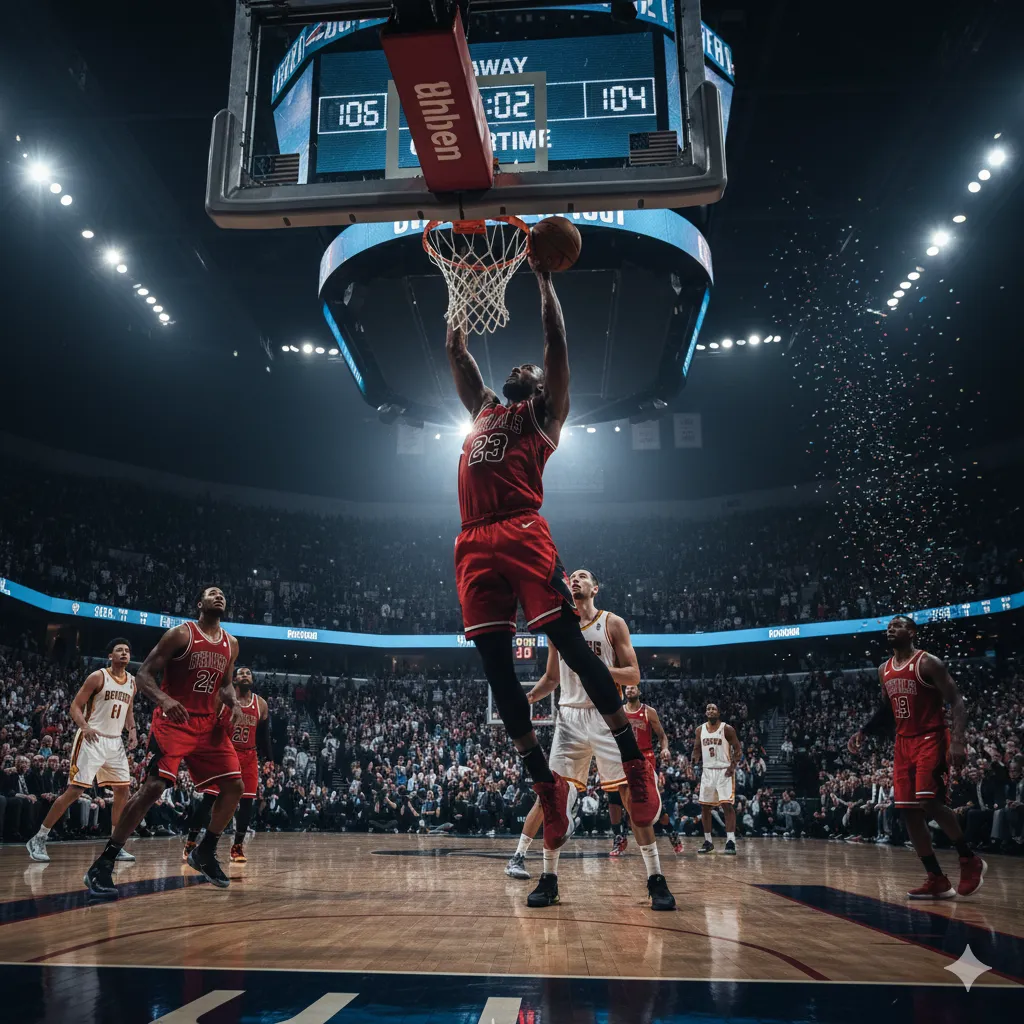
Vista de un slide fullscreen con estética oscura y sensación premium.

Un slider a pantalla completa con transición fluida entre slides y un overlay oscuro para mantener la legibilidad. El resultado final está pensado para verse “caro”: contraste correcto, jerarquía, ritmo visual y una UI inferior que parece una pieza de producto, no un plugin.

2) La UI inferior: el detalle que hace que se sienta PRO

Barra inferior con contador, título animado, indicador y thumbnails.

Esta parte es el “hook” del recurso: una bottom bar con contador, título animado y thumbs. Además, el drag indicator reacciona al hover/cambio de slide para dar sensación de control y movimiento continuo. Es lo que convierte el slider en una experiencia.

3) Navegación completa (click, teclado, scroll y touch)

Navegación del slider con flechas, teclado y gestos.

El ejemplo incluye navegación por: flechas (⟪ ⟫), thumbnails, teclado (← →), y scroll / touch / pointer usando GSAP Observer. Si Observer no está disponible, hay fallback para wheel y swipe. Esto lo hace ideal para integrarlo en una web real sin depender de un framework.

4) Cómo personalizarlo (rápido)

Personalización: títulos, imágenes y branding.

Personalizar es directo:

• Textos: cambia el nombre de serie en .slide-section y edita el array slideTitles.
• Imágenes: reemplaza las URLs en cada background-image.
• Estilo: ajusta variables CSS (radios, sombras, opacidades) para adaptarlo a tu branding.

5) Dónde usar este efecto (ideas prácticas)

Casos de uso: hero, portfolio, showcases.

Casos de uso recomendados: hero de una landing, portfolio de proyectos, galería de producto/branding, “before/after”, o una sección showcase dentro de un sitio de servicios. Si tu web necesita “impacto visual” sin caer en ruido, este patrón funciona.

6) Requisitos técnicos (para que funcione tal cual)

Requisitos: GSAP + Observer.

Necesitas cargar GSAP y (opcionalmente) el plugin Observer. El JS ya contempla fallback si no está.

Si lo integras en WordPress, lo ideal es: cargar GSAP por CDN y colocar el script al final del body (o en un archivo encolado).

7) Copia y pega el código (HTML + CSS + JS)

Código listo para copiar: HTML, CSS y JS.

Abajo tienes los tres bloques listos para copiar: HTML (estructura), CSS (Deluxe Black UI), y JS (lógica + animaciones + navegación).

Tip: empieza pegándolo tal cual, verifica que carga GSAP, y luego personaliza textos, imágenes y variables de estilo.

Si quieres que este efecto quede 100% “responsive perfecto”, el siguiente upgrade es eliminar el ancho fijo de updateDragLines() y calcular el ancho real del contenedor con getBoundingClientRect(). Con eso la onda queda clavada en cualquier layout.

HTML+JS


<!-- Bottom UI container that holds all bottom elements -->
<div class="bottom-ui-container">
  <div class="slide-section">COSMIC SERIES</div>
  <div class="slide-counter">
    <div class="counter-nav prev-slide">⟪</div>
    <div class="counter-display">
      <span class="current-slide">01</span>
      <span class="counter-divider">//</span>
      <span class="total-slides">06</span>
    </div>
    <div class="counter-nav next-slide">⟫</div>
  </div>
  <div class="slide-title-container">
    <div class="slide-title">Cosmic Harmony</div>
  </div>
  <div class="drag-indicator"></div>
  <div class="thumbs-container">
    <div class="frost-bg"></div>
    <div class="slide-thumbs"></div>
  </div>
</div>

<div class="slides">
  <div class="slide">
    <div class="slide__img" style="background-image: url(https://elsaltoweb.es/wp-content/uploads/2025/09/chicago-bulls.png)"></div>
  </div>
  <div class="slide">
    <div class="slide__img" style="background-image: url(https://elsaltoweb.es/wp-content/uploads/2025/09/dream-team.png)"></div>
  </div>
  <div class="slide">
    <div class="slide__img" style="background-image: url(https://elsaltoweb.es/wp-content/uploads/2025/09/scottie-pippen.webp)"></div>
  </div>
  <div class="slide">
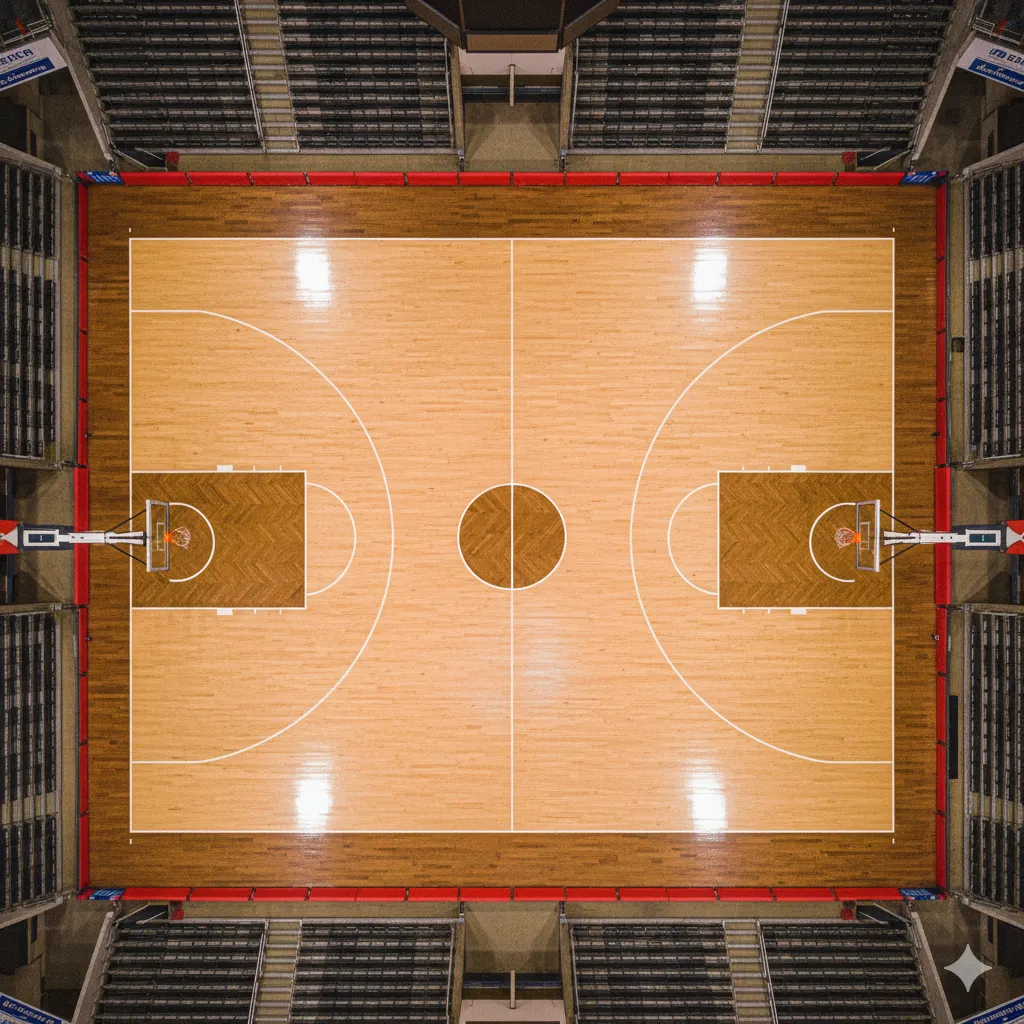
    <div class="slide__img" style="background-image: url(https://elsaltoweb.es/wp-content/uploads/2025/09/campo-baloncesto.png)"></div>
  </div>
  <div class="slide">
    <div class="slide__img" style="background-image: url(https://elsaltoweb.es/wp-content/uploads/2025/09/rodman-a.webp)"></div>
  </div>
  <div class="slide">
    <div class="slide__img" style="background-image: url(https://elsaltoweb.es/wp-content/uploads/2025/09/pipen.png)"></div>
  </div>
</div>
<script>
    
    // Direction constants
const NEXT = 1;
const PREV = -1;

// Slide titles array (global)
const slideTitles = [
  "Chicago Bulls",
  "1992 Dream Team",
  "Scottie Pippen",
  "NBA Field",
  "Dennis Rodman",
  "Michael Jordan"
];

// Global variable to track currently hovered thumbnail
let currentHoveredThumb = null;

// Global variable to track mouse position over thumbnails
let mouseOverThumbnails = false;
let lastHoveredThumbIndex = null;

// Global animation state management
let isAnimating = false;
let pendingNavigation = null;

// Function to visually update navigation elements based on animation state
function updateNavigationUI(disabled) {
  // Update navigation arrows
  const navButtons = document.querySelectorAll(".counter-nav");
  navButtons.forEach((btn) => {
    btn.style.opacity = disabled ? "0.3" : "";
    btn.style.pointerEvents = disabled ? "none" : "";
  });

  // Update thumbnails
  const thumbs = document.querySelectorAll(".slide-thumb");
  thumbs.forEach((thumb) => {
    thumb.style.pointerEvents = disabled ? "none" : "";
  });
}

// Global functions for slide management
function updateSlideCounter(index) {
  const currentSlideEl = document.querySelector(".current-slide");
  if (currentSlideEl) {
    currentSlideEl.textContent = String(index + 1).padStart(2, "0");
  }
}

function updateSlideTitle(index) {
  const titleContainer = document.querySelector(".slide-title-container");
  const currentTitle = document.querySelector(".slide-title");
  if (!titleContainer || !currentTitle) return;

  // Create a new title element
  const newTitle = document.createElement("div");
  newTitle.className = "slide-title enter-up";
  newTitle.textContent = slideTitles[index];

  // Add it to the container
  titleContainer.appendChild(newTitle);

  // Add exit animation class to old title
  currentTitle.classList.add("exit-up");

  // Force reflow
  void newTitle.offsetWidth;

  // Start entrance animation
  setTimeout(() => {
    newTitle.classList.remove("enter-up");
  }, 10);

  // Remove old title after animation completes
  setTimeout(() => {
    currentTitle.remove();
  }, 500);
}

// Updated updateDragLines function for continuous lines
function updateDragLines(activeIndex, forceUpdate = false) {
  const lines = document.querySelectorAll(".drag-line");
  if (!lines.length) return;

  // Reset all lines immediately
  lines.forEach((line) => {
    line.style.height = "var(--line-base-height)";
    line.style.backgroundColor = "rgba(255, 255, 255, 0.3)";
  });

  // If no active index is provided, return
  if (activeIndex === null) {
    return;
  }

  const slideCount = document.querySelectorAll(".slide").length;
  const lineCount = lines.length;

  // Calculate the center position of the active thumbnail
  const thumbWidth = 720 / slideCount; // Total width divided by number of slides
  const centerPosition = (activeIndex + 0.5) * thumbWidth;

  // Calculate the width of one line section
  const lineWidth = 720 / lineCount;

  // Apply the wave pattern to all lines based on distance from center
  for (let i = 0; i < lineCount; i++) {
    // Calculate the center position of this line
    const linePosition = (i + 0.5) * lineWidth;

    // Calculate distance from the center of the active thumbnail
    const distFromCenter = Math.abs(linePosition - centerPosition);

    // Calculate the maximum distance for influence (half a thumbnail width plus a bit)
    const maxDistance = thumbWidth * 0.7;

    // Only affect lines within the influence range
    if (distFromCenter <= maxDistance) {
      // Calculate normalized distance (0 at center, 1 at edge of influence)
      const normalizedDist = distFromCenter / maxDistance;

      // Create a cosine wave pattern (1 at center, 0 at edge)
      const waveHeight = Math.cos((normalizedDist * Math.PI) / 2);

      // Scale the height based on the wave pattern (taller in center)
      const height =
        parseInt(
          getComputedStyle(document.documentElement).getPropertyValue(
            "--line-base-height"
          )
        ) +
        waveHeight * 35;

      // Calculate opacity based on distance (more opaque at center)
      const opacity = 0.3 + waveHeight * 0.4;

      // Stagger the animations slightly based on distance from center
      const delay = normalizedDist * 100;

      // If forceUpdate is true, apply immediately without checking hover state
      if (forceUpdate) {
        lines[i].style.height = `${height}px`;
        lines[i].style.backgroundColor = `rgba(255, 255, 255, ${opacity})`;
      } else {
        setTimeout(() => {
          // Only apply if this is still the current hovered thumbnail
          // or if we're forcing an update
          if (
            currentHoveredThumb === activeIndex ||
            (mouseOverThumbnails && lastHoveredThumbIndex === activeIndex)
          ) {
            lines[i].style.height = `${height}px`;
            lines[i].style.backgroundColor = `rgba(255, 255, 255, ${opacity})`;
          }
        }, delay);
      }
    }
  }
}

class Slideshow {
  DOM = {
    el: null,
    slides: null,
    slidesInner: null
  };
  current = 0;
  slidesTotal = 0;

  constructor(DOM_el) {
    this.DOM.el = DOM_el;
    this.DOM.slides = [...this.DOM.el.querySelectorAll(".slide")];
    this.DOM.slidesInner = this.DOM.slides.map((item) =>
      item.querySelector(".slide__img")
    );
    this.DOM.slides[this.current].classList.add("slide--current");
    this.slidesTotal = this.DOM.slides.length;
  }

  next() {
    this.navigate(NEXT);
  }

  prev() {
    this.navigate(PREV);
  }

  // Method to navigate to a specific slide index
  goTo(index) {
    // If already animating, store this as pending navigation
    if (isAnimating) {
      pendingNavigation = { type: "goto", index };
      return false;
    }

    // Don't navigate if it's the current slide
    if (index === this.current) return false;

    // Set animation state
    isAnimating = true;
    updateNavigationUI(true);

    const previous = this.current;
    this.current = index;

    // Update active thumbnail
    const thumbs = document.querySelectorAll(".slide-thumb");
    thumbs.forEach((thumb, i) => {
      thumb.classList.toggle("active", i === index);
    });

    // Update counter and title
    updateSlideCounter(index);
    updateSlideTitle(index);

    // Show drag lines for active thumbnail
    updateDragLines(index, true);

    // Determine direction for the animation
    const direction = index > previous ? 1 : -1;

    // Get slides and perform animation
    const currentSlide = this.DOM.slides[previous];
    const currentInner = this.DOM.slidesInner[previous];
    const upcomingSlide = this.DOM.slides[index];
    const upcomingInner = this.DOM.slidesInner[index];

    gsap
      .timeline({
        onStart: () => {
          this.DOM.slides[index].classList.add("slide--current");
          gsap.set(upcomingSlide, { zIndex: 99 });
        },
        onComplete: () => {
          this.DOM.slides[previous].classList.remove("slide--current");
          gsap.set(upcomingSlide, { zIndex: 1 });

          // Reset animation state
          isAnimating = false;
          updateNavigationUI(false);

          // Check if there's a pending navigation
          if (pendingNavigation) {
            const { type, index, direction } = pendingNavigation;
            pendingNavigation = null;

            // Execute the pending navigation after a small delay
            setTimeout(() => {
              if (type === "goto") {
                this.goTo(index);
              } else if (type === "navigate") {
                this.navigate(direction);
              }
            }, 50);
          }

          // Re-apply hover effect if mouse is still over thumbnails
          if (mouseOverThumbnails && lastHoveredThumbIndex !== null) {
            currentHoveredThumb = lastHoveredThumbIndex;
            updateDragLines(lastHoveredThumbIndex, true);
          }
        }
      })
      .addLabel("start", 0)
      .fromTo(
        upcomingSlide,
        {
          autoAlpha: 1,
          scale: 0.1,
          yPercent: direction === 1 ? 100 : -100 // Bottom for next, top for prev
        },
        {
          duration: 0.7,
          ease: "expo",
          scale: 0.4,
          yPercent: 0
        },
        "start"
      )
      .fromTo(
        upcomingInner,
        {
          filter: "contrast(100%) saturate(100%)",
          transformOrigin: "100% 50%",
          scaleY: 4
        },
        {
          duration: 0.7,
          ease: "expo",
          scaleY: 1
        },
        "start"
      )
      .fromTo(
        currentInner,
        {
          filter: "contrast(100%) saturate(100%)"
        },
        {
          duration: 0.7,
          ease: "expo",
          filter: "contrast(120%) saturate(140%)"
        },
        "start"
      )
      .addLabel("middle", "start+=0.6")
      .to(
        upcomingSlide,
        {
          duration: 1,
          ease: "power4.inOut",
          scale: 1
        },
        "middle"
      )
      .to(
        currentSlide,
        {
          duration: 1,
          ease: "power4.inOut",
          scale: 0.98,
          autoAlpha: 0
        },
        "middle"
      );
  }

  navigate(direction) {
    // If already animating, store this as pending navigation
    if (isAnimating) {
      pendingNavigation = { type: "navigate", direction };
      return false;
    }

    // Set animation state
    isAnimating = true;
    updateNavigationUI(true);

    const previous = this.current;
    this.current =
      direction === 1
        ? this.current < this.slidesTotal - 1
          ? ++this.current
          : 0
        : this.current > 0
        ? --this.current
        : this.slidesTotal - 1;

    // Update active thumbnail
    const thumbs = document.querySelectorAll(".slide-thumb");
    thumbs.forEach((thumb, index) => {
      if (index === this.current) {
        thumb.classList.add("active");
      } else {
        thumb.classList.remove("active");
      }
    });

    // Update counter and title
    updateSlideCounter(this.current);
    updateSlideTitle(this.current);

    // Highlight active thumbnail in drag line indicator
    updateDragLines(this.current, true);

    // Get slides and perform animation
    const currentSlide = this.DOM.slides[previous];
    const currentInner = this.DOM.slidesInner[previous];
    const upcomingSlide = this.DOM.slides[this.current];
    const upcomingInner = this.DOM.slidesInner[this.current];

    gsap
      .timeline({
        onStart: () => {
          this.DOM.slides[this.current].classList.add("slide--current");
          gsap.set(upcomingSlide, { zIndex: 99 });
        },
        onComplete: () => {
          this.DOM.slides[previous].classList.remove("slide--current");
          gsap.set(upcomingSlide, { zIndex: 1 });

          // Reset animation state
          isAnimating = false;
          updateNavigationUI(false);

          // Check if there's a pending navigation
          if (pendingNavigation) {
            const { type, index, direction } = pendingNavigation;
            pendingNavigation = null;

            // Execute the pending navigation after a small delay
            setTimeout(() => {
              if (type === "goto") {
                this.goTo(index);
              } else if (type === "navigate") {
                this.navigate(direction);
              }
            }, 50);
          }

          // Re-apply hover effect if mouse is still over thumbnails
          if (mouseOverThumbnails && lastHoveredThumbIndex !== null) {
            currentHoveredThumb = lastHoveredThumbIndex;
            updateDragLines(lastHoveredThumbIndex, true);
          }
        }
      })
      .addLabel("start", 0)
      .fromTo(
        upcomingSlide,
        {
          autoAlpha: 1,
          scale: 0.1,
          yPercent: direction === 1 ? 100 : -100 // Bottom for next, top for prev
        },
        {
          duration: 0.7,
          ease: "expo",
          scale: 0.4,
          yPercent: 0
        },
        "start"
      )
      .fromTo(
        upcomingInner,
        {
          filter: "contrast(100%) saturate(100%)",
          transformOrigin: "100% 50%",
          scaleY: 4
        },
        {
          duration: 0.7,
          ease: "expo",
          scaleY: 1
        },
        "start"
      )
      .fromTo(
        currentInner,
        {
          filter: "contrast(100%) saturate(100%)"
        },
        {
          duration: 0.7,
          ease: "expo",
          filter: "contrast(120%) saturate(140%)"
        },
        "start"
      )
      .addLabel("middle", "start+=0.6")
      .to(
        upcomingSlide,
        {
          duration: 1,
          ease: "power4.inOut",
          scale: 1
        },
        "middle"
      )
      .to(
        currentSlide,
        {
          duration: 1,
          ease: "power4.inOut",
          scale: 0.98,
          autoAlpha: 0
        },
        "middle"
      );
  }
}

// Initialize
document.addEventListener("DOMContentLoaded", () => {
  // Create slideshow instance
  const slides = document.querySelector(".slides");
  const slideshow = new Slideshow(slides);

  // Create thumbnails
  const thumbsContainer = document.querySelector(".slide-thumbs");
  const slideImgs = document.querySelectorAll(".slide__img");
  const slideCount = slideImgs.length;

  // Clear thumbs container first (in case it had any previous content)
  if (thumbsContainer) {
    thumbsContainer.innerHTML = "";
    slideImgs.forEach((img, index) => {
      const bgImg = img.style.backgroundImage;
      const thumb = document.createElement("div");
      thumb.className = "slide-thumb";
      thumb.style.backgroundImage = bgImg;
      if (index === 0) {
        thumb.classList.add("active");
      }

      // Animation for clicking on thumbnails - use goTo method
      thumb.addEventListener("click", () => {
        // Store the clicked thumbnail index for later
        lastHoveredThumbIndex = index;

        // Use the new goTo method which handles animation state
        slideshow.goTo(index);
      });

      // Add hover effect to thumbnails with global tracking
      thumb.addEventListener("mouseenter", () => {
        // Update the global variable to track which thumbnail is hovered
        currentHoveredThumb = index;
        lastHoveredThumbIndex = index;
        mouseOverThumbnails = true;

        // Only update lines if not animating
        if (!isAnimating) {
          updateDragLines(index, true);
        }
      });

      thumb.addEventListener("mouseleave", () => {
        // Only reset if we're leaving this specific thumbnail
        // This prevents resetting when moving directly to another thumbnail
        if (currentHoveredThumb === index) {
          currentHoveredThumb = null;
          // Don't reset lastHoveredThumbIndex here
        }
      });

      thumbsContainer.appendChild(thumb);
    });
  }

  // Create continuous drag indicator lines
  const dragIndicator = document.querySelector(".drag-indicator");
  if (dragIndicator) {
    dragIndicator.innerHTML = "";

    // Create a container for the lines to ensure consistent positioning
    const linesContainer = document.createElement("div");
    linesContainer.className = "lines-container";
    dragIndicator.appendChild(linesContainer);

    // Create evenly spaced lines across the entire width
    const totalLines = 60; // Increased number of lines for smoother appearance
    for (let i = 0; i < totalLines; i++) {
      const line = document.createElement("div");
      line.className = "drag-line";
      linesContainer.appendChild(line);
    }
  }

  // Set total slides
  const totalSlidesEl = document.querySelector(".total-slides");
  if (totalSlidesEl) {
    totalSlidesEl.textContent = String(slideCount).padStart(2, "0");
  }

  // Add navigation handlers - use direct methods instead of throttled versions
  const prevButton = document.querySelector(".prev-slide");
  const nextButton = document.querySelector(".next-slide");

  if (prevButton) {
    prevButton.addEventListener("click", () => slideshow.prev());
  }

  if (nextButton) {
    nextButton.addEventListener("click", () => slideshow.next());
  }

  // Initialize counters and lines
  updateSlideCounter(0);
  updateDragLines(0, true); // Initialize the first thumbnail's lines

  // Add global mouse leave handler for the entire thumbnails area
  const thumbsArea = document.querySelector(".thumbs-container");
  if (thumbsArea) {
    thumbsArea.addEventListener("mouseenter", () => {
      mouseOverThumbnails = true;
    });

    thumbsArea.addEventListener("mouseleave", () => {
      // Reset all lines when mouse leaves the entire thumbnails area
      mouseOverThumbnails = false;
      currentHoveredThumb = null;
      updateDragLines(null);
    });
  }

  // Initialize GSAP Observer for scroll/drag with animation state check
  try {
    // First try using it directly
    if (typeof Observer !== "undefined") {
      Observer.create({
        type: "wheel,touch,pointer",
        onDown: () => {
          if (!isAnimating) slideshow.prev();
        },
        onUp: () => {
          if (!isAnimating) slideshow.next();
        },
        wheelSpeed: -1,
        tolerance: 10
      });
    }
    // Then try from GSAP
    else if (typeof gsap.Observer !== "undefined") {
      gsap.Observer.create({
        type: "wheel,touch,pointer",
        onDown: () => {
          if (!isAnimating) slideshow.prev();
        },
        onUp: () => {
          if (!isAnimating) slideshow.next();
        },
        wheelSpeed: -1,
        tolerance: 10
      });
    }
    // Fallback
    else {
      console.warn("GSAP Observer plugin not found, using fallback");

      // Add wheel event listener with animation state check
      document.addEventListener("wheel", (e) => {
        if (isAnimating) return;

        if (e.deltaY > 0) {
          slideshow.next();
        } else {
          slideshow.prev();
        }
      });

      // Add touch events with animation state check
      let touchStartY = 0;

      document.addEventListener("touchstart", (e) => {
        touchStartY = e.touches[0].clientY;
      });

      document.addEventListener("touchend", (e) => {
        if (isAnimating) return;

        const touchEndY = e.changedTouches[0].clientY;
        const diff = touchEndY - touchStartY;

        if (Math.abs(diff) > 50) {
          if (diff > 0) {
            slideshow.prev();
          } else {
            slideshow.next();
          }
        }
      });
    }
  } catch (error) {
    console.error("Error initializing Observer:", error);
  }

  // Keyboard navigation with animation state check
  document.addEventListener("keydown", (e) => {
    if (isAnimating) return;

    if (e.key === "ArrowRight") slideshow.next();
    else if (e.key === "ArrowLeft") slideshow.prev();
  });
});

    
</script>


CSS

				
					@import url("https://fonts.cdnfonts.com/css/thegoodmonolith");

/* =========================
   RESET + TOKENS (Black UI)
========================= */
*,
*::after,
*::before {
  box-sizing: border-box;
}

:root {
  color-scheme: dark;

  /* Base */
  --color-text: rgba(255, 255, 255, 0.92);
  --color-muted: rgba(255, 255, 255, 0.68);
  --color-dim: rgba(255, 255, 255, 0.48);

  /* Black palette */
  --bg: #060607;
  --bg-2: #0b0c0f;
  --panel: rgba(10, 10, 12, 0.62);
  --panel-2: rgba(0, 0, 0, 0.55);

  /* Accents (still “black UI”, but usable) */
  --stroke: rgba(255, 255, 255, 0.14);
  --stroke-2: rgba(255, 255, 255, 0.08);
  --glow: rgba(255, 255, 255, 0.10);

  /* Radius + shadow */
  --r-lg: 18px;
  --r-md: 14px;
  --shadow-1: 0 18px 60px rgba(0, 0, 0, 0.55);
  --shadow-2: 0 10px 30px rgba(0, 0, 0, 0.45);

  /* Sizes */
  --thumb-width: 120px;
  --thumb-height: 80px;

  /* Lines */
  --line-spacing: 10px;
  --line-base-height: 15px;
  --line-max-height: 50px;

  /* Motion */
  --ease-out: cubic-bezier(0.22, 1, 0.36, 1);
  --ease-soft: cubic-bezier(0.2, 0.7, 0.2, 1);
}

/* =========================
   BASE
========================= */
html,
body {
  height: 100%;
}

body {
  margin: 0;
  color: var(--color-text);
  background: radial-gradient(1200px 800px at 50% 20%, rgba(255, 255, 255, 0.05), transparent 55%),
              radial-gradient(900px 650px at 20% 80%, rgba(255, 255, 255, 0.03), transparent 60%),
              var(--bg);
  font-family: "TheGoodMonolith", system-ui, -apple-system, Segoe UI, Roboto, sans-serif;
  overflow-x: hidden;
  min-height: 100%;
  -webkit-font-smoothing: antialiased;
  text-rendering: geometricPrecision;
}

/* Selection */
::selection {
  background: rgba(255, 255, 255, 0.16);
  color: rgba(255, 255, 255, 0.95);
}

/* Focus ring (accessible) */
:where(a, button, [role="button"], input, textarea, select):focus-visible {
  outline: 2px solid rgba(255, 255, 255, 0.35);
  outline-offset: 3px;
  border-radius: 10px;
}

/* =========================
   SLIDES
========================= */
.slides {
  width: 100%;
  min-height: 100dvh;
  overflow: hidden;
  display: grid;
  grid-template-rows: 100%;
  grid-template-columns: 100%;
  place-items: center;
  margin-top: 60px;
  position: relative;
}

.slide {
  width: 100%;
  height: 100%;
  grid-area: 1 / 1 / -1 / -1;
  pointer-events: none;
  opacity: 0;
  overflow: hidden;
  position: relative;
  display: grid;
  place-items: center;
  will-change: transform, opacity;
}

.slide--current {
  pointer-events: auto;
  opacity: 1;
}

/* Image layer */
.slide__img {
  width: 100%;
  height: 100%;
  background-size: cover;
  background-position: center center;
  background-repeat: no-repeat;
  will-change: transform, opacity, filter;
  position: relative;
}

/* Dark overlay for readability (keeps "black UI" consistent) */
.slide__img::after {
  content: "";
  position: absolute;
  inset: 0;
  background: linear-gradient(
      to bottom,
      rgba(0, 0, 0, 0.62) 0%,
      rgba(0, 0, 0, 0.22) 35%,
      rgba(0, 0, 0, 0.70) 100%
    );
  pointer-events: none;
}

/* =========================
   HINT
========================= */
.scroll-hint {
  position: absolute;
  top: 1rem;
  right: 1rem;
  z-index: 30;

  color: var(--color-text);
  font-size: 0.9rem;
  letter-spacing: 0.4px;

  padding: 0.55rem 0.75rem;
  border-radius: 999px;
  background: rgba(0, 0, 0, 0.35);
  border: 1px solid var(--stroke);
  box-shadow: var(--shadow-2);

  backdrop-filter: blur(10px);
  -webkit-backdrop-filter: blur(10px);
}

/* =========================
   BOTTOM UI (polished panel)
========================= */
.bottom-ui-container {
  position: absolute;
  left: 50%;
  transform: translateX(-50%);
  bottom: max(env(safe-area-inset-bottom), 14px);
  width: min(760px, 100%);
  z-index: 40;
  padding: 0 1rem;
  display: flex;
  flex-direction: column;
  align-items: center;
  gap: 0.75rem;
  pointer-events: auto;
  overflow-x: hidden;

  /* breathing space vs thumbs */
  margin-bottom: 140px;
}

/* Main glass panel wrapper feel */
.bottom-ui-container::before {
  content: "";
  position: absolute;
  inset: -10px -10px -12px -10px;
  border-radius: calc(var(--r-lg) + 10px);
  background: linear-gradient(180deg, rgba(255, 255, 255, 0.06), rgba(255, 255, 255, 0.02));
  border: 1px solid var(--stroke-2);
  box-shadow: var(--shadow-1);
  backdrop-filter: blur(16px);
  -webkit-backdrop-filter: blur(16px);
  pointer-events: none;
  z-index: 0;
}

.bottom-ui-container > * {
  position: relative;
  z-index: 1;
}

/* =========================
   TYPO / BLOCKS
========================= */
.slide-section {
  width: 100%;
  text-align: center;
  color: var(--color-text);
  font-size: clamp(1.15rem, 2vw + 0.6rem, 1.9rem);
  font-weight: 800;
  letter-spacing: 1.2px;
  opacity: 0.95;
  margin-bottom: 18px;
  text-shadow: 0 8px 30px rgba(0, 0, 0, 0.55);
}

.slide-counter {
  display: flex;
  align-items: center;
  width: 100%;
  justify-content: space-between;
  gap: 0.75rem;

  color: var(--color-muted);
  font-size: 0.88rem;

  padding: 0.6rem 0.75rem;
  border-radius: var(--r-md);
  background: rgba(0, 0, 0, 0.28);
  border: 1px solid var(--stroke-2);
}

.counter-display {
  display: flex;
  align-items: center;
  gap: 10px;
}

.counter-divider {
  opacity: 0.6;
  font-size: 0.85rem;
}

.counter-nav {
  width: 22px;
  cursor: pointer;
  opacity: 0.75;
  transition: opacity 220ms var(--ease-soft), transform 220ms var(--ease-soft), filter 220ms var(--ease-soft);
  filter: drop-shadow(0 8px 18px rgba(0, 0, 0, 0.55));
  user-select: none;
  -webkit-user-select: none;
  touch-action: manipulation;
}

.counter-nav:hover {
  opacity: 1;
  transform: translateY(-1px);
}

.counter-nav:active {
  transform: translateY(0);
  opacity: 0.95;
}

/* Title with smoother motion */
.slide-title-container {
  width: 100%;
  text-align: center;
  height: 32px;
  overflow: hidden;
  margin-bottom: 10px;
  position: relative;

  border-radius: var(--r-md);
  background: rgba(0, 0, 0, 0.22);
  border: 1px solid var(--stroke-2);
  padding: 0.45rem 0.75rem;
}

.slide-title {
  position: absolute;
  inset: 0;
  display: grid;
  place-items: center;

  color: var(--color-text);
  font-size: 1.03rem;
  letter-spacing: 0.6px;
  opacity: 0.9;
  transition: transform 520ms var(--ease-out), opacity 520ms var(--ease-out);
}

.slide-title.exit-up {
  transform: translateY(-38px);
  opacity: 0;
}
.slide-title.enter-up {
  transform: translateY(38px);
  opacity: 0;
}

/* =========================
   DRAG INDICATOR
========================= */
.drag-indicator {
  width: 100%;
  height: 52px;
  pointer-events: none;
  margin-bottom: 6px;
  position: relative;

  border-radius: var(--r-md);
  background: rgba(0, 0, 0, 0.18);
  border: 1px solid var(--stroke-2);
  overflow: hidden;
}

.drag-indicator::after {
  content: "";
  position: absolute;
  inset: 0;
  background: radial-gradient(450px 80px at 50% 100%, rgba(255, 255, 255, 0.05), transparent 60%);
  pointer-events: none;
}

.lines-container {
  display: flex;
  height: 100%;
  width: 100%;
  position: relative;
  align-items: flex-end;
  justify-content: space-between;
  gap: var(--line-spacing);
  padding: 10px 12px;
}

.drag-line {
  width: 2px;
  height: var(--line-base-height);
  border-radius: 99px;
  background-color: rgba(255, 255, 255, 0.22);
  transform-origin: bottom center;
  transition: height 600ms var(--ease-out), background-color 600ms var(--ease-out);
  box-shadow: 0 0 18px rgba(255, 255, 255, 0.06);
}

/* Optional: when active (if you toggle a class in JS) */
.drag-indicator.is-active .drag-line {
  background-color: rgba(255, 255, 255, 0.34);
}

/* =========================
   THUMBS (real black “dock”)
========================= */
.thumbs-container {
  width: 100%;
  overflow-x: auto;
  -webkit-overflow-scrolling: touch;

  border-radius: var(--r-lg);
  background: rgba(0, 0, 0, 0.38);
  border: 1px solid var(--stroke);
  box-shadow: var(--shadow-2);

  backdrop-filter: blur(14px);
  -webkit-backdrop-filter: blur(14px);

  /* nicer scroll */
  scrollbar-width: thin;
  scrollbar-color: rgba(255, 255, 255, 0.18) transparent;
}

.thumbs-container::-webkit-scrollbar {
  height: 10px;
}
.thumbs-container::-webkit-scrollbar-track {
  background: transparent;
}
.thumbs-container::-webkit-scrollbar-thumb {
  background: rgba(255, 255, 255, 0.16);
  border-radius: 999px;
}

.slide-thumbs {
  display: flex;
  position: relative;
  padding: 0.45rem 0.35rem;
  z-index: 11;
  gap: 0.35rem;
  width: max-content;
}

.frost-bg {
  display: none;
}

.slide-thumb {
  width: var(--thumb-width);
  height: var(--thumb-height);
  flex: 0 0 auto;

  background-size: cover;
  background-position: center center;

  cursor: pointer;
  opacity: 0.58;
  transform: translateY(0);

  border-radius: 14px;
  border: 1px solid rgba(255, 255, 255, 0.10);
  outline: none;

  box-shadow: 0 10px 24px rgba(0, 0, 0, 0.45);
  transition: opacity 220ms var(--ease-soft), transform 220ms var(--ease-soft), border-color 220ms var(--ease-soft), filter 220ms var(--ease-soft);
  position: relative;
  overflow: hidden;
}

.slide-thumb::after {
  content: "";
  position: absolute;
  inset: 0;
  background: linear-gradient(to bottom, rgba(0, 0, 0, 0.10), rgba(0, 0, 0, 0.55));
  pointer-events: none;
}

.slide-thumb:hover {
  opacity: 0.82;
  transform: translateY(-2px);
  border-color: rgba(255, 255, 255, 0.18);
}

.slide-thumb.active {
  opacity: 1;
  transform: translateY(-3px);
  border-color: rgba(255, 255, 255, 0.28);
  filter: saturate(1.05) contrast(1.03);
}

/* Tiny notch / indicator on active thumb */
.slide-thumb.active::before {
  content: "";
  position: absolute;
  left: 12px;
  right: 12px;
  bottom: 8px;
  height: 2px;
  border-radius: 999px;
  background: rgba(255, 255, 255, 0.45);
  box-shadow: 0 0 22px rgba(255, 255, 255, 0.10);
}

/* =========================
   RESPONSIVE
========================= */
@media (max-width: 1024px) {
  :root {
    --thumb-width: 96px;
    --thumb-height: 72px;
    --line-spacing: 8px;
    --line-base-height: 12px;
    --line-max-height: 40px;
  }

  .slide-title {
    font-size: 0.98rem;
  }
  .slide-counter {
    font-size: 0.84rem;
  }
}

@media (max-width: 768px) {
  :root {
    --thumb-width: 84px;
    --thumb-height: 64px;
    --line-spacing: 6px;
    --line-base-height: 10px;
    --line-max-height: 34px;
  }

  .bottom-ui-container {
    margin: 1.1rem auto 2rem;
    padding: 0 0.75rem 1.5rem;
    margin-bottom: 120px;
  }

  .scroll-hint {
    font-size: 0.84rem;
    top: 0.75rem;
    right: 0.75rem;
  }
}

@media (max-width: 480px) {
  :root {
    --thumb-width: 72px;
    --thumb-height: 56px;
    --line-spacing: 4px;
    --line-base-height: 8px;
    --line-max-height: 28px;
  }

  .slide-section {
    font-size: clamp(1rem, 4.5vw, 1.28rem);
    margin-bottom: 14px;
  }

  .slide-title-container {
    height: 30px;
  }
  .slide-title {
    font-size: 0.95rem;
  }

  .counter-nav {
    width: 20px;
  }
  .counter-divider {
    font-size: 0.8rem;
  }
}

/* =========================
   REDUCED MOTION
========================= */
@media (prefers-reduced-motion: reduce) {
  * {
    transition-duration: 0.001ms !important;
    animation-duration: 0.001ms !important;
    scroll-behavior: auto !important;
  }
}
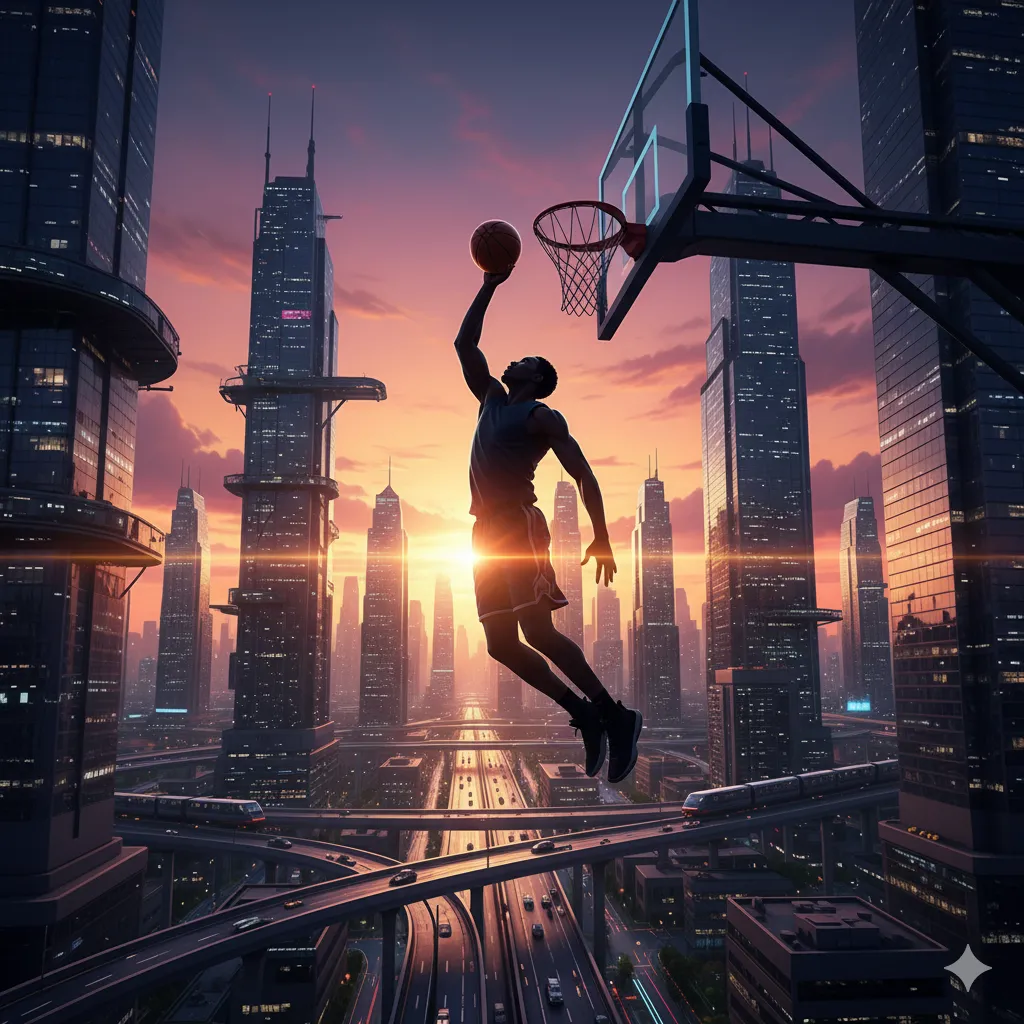


El debate está abierto. ¿Quién es el verdadero GOAT para ti: Jordan, LeBron o Kobe? Déjanos tu opinión en los comentarios y cuéntanos por qué tu leyenda es la más grande de la historia.

4 respuestas

  1. Really insightful article! Seeing platforms like this-with tiered competition & skill-based matching-is great for healthy gaming. It’s cool how jilikkk app games focuses on building skill & community, not just luck. Encouraging responsible play is key! 👍

Deja una respuesta

Tu dirección de correo electrónico no será publicada. Los campos obligatorios están marcados con *

Email Designer: la herramienta gratuita y open source para crear emails que sí funcionan

Email Designer: la herramienta gratuita y open source para crear emails que sí funcionan

🔍 Analiza tu web con Inteligencia Artificial – Gratis y al instante

¿Tu sitio está optimizado? Descúbrelo en segundos con nuestra herramienta de IA y recibe un informe de UX

CV Andrés

Desarrollo webs que cargan rápido y venden mejor. Logística mental de 7 a 3, WordPress ninja de 3 a 9.
banner

The quiet shame of vibecoding

THANK YOU for the feedback, the ideas and the honesty. Building an AI SaaS in public.

Agentes de IA para tu e-commerce

Esta app te permite diseñar y probar agentes de IA que atienden a tus clientes

Experimento Visual con Three.js, Scroll Interactivo y Partículas

Una demo 3D experimental creada con Three.js: partículas dinámicas, efecto glitch cinematográfico, movimiento reactivo y scroll interactivo.